
10 ways CHEQ supports microlearning
Published

In an earlier article you could already read about the importance of training employees. Now I would like to show you how CHEQ supports microlearning. In addition, I will share a few useful tips to help you get started more easily on the path of training your employees digitally.
Forms of microlearning within CHEQ
I. Text-based
This is the classic form of training, when we try to convey the information to employees in text. This can be done in several ways within CHEQ.
1. When the information appears in a short text message
In this case, the chatbot shows a short text message to the employee undertaking the training. It is worth sticking to the essentials here, so that the content can be absorbed within 1-2 minutes. You can build a chain of information from these pieces of content. That is, a short instructional message can be immediately followed by a quiz question, then another short message on the same topic, and so on until the employee has fully absorbed the subject.
2. When you deliver the knowledge in an attached text document
In this case you essentially share the knowledge in a PDF document. Once the training material is selected, the chatbot opens the PDF within CHEQ at the press of a button.
It is worth using this form of microlearning when you want to present a more complex and longer topic to employees in detail. Working through this kind of training material usually requires calm and time. It is worth using a larger font size and definitely creating a portrait-orientation PDF document. Since the employee will read the material on their phone, it is extremely important that everything is easy to read. Even so, it may happen that the employee has to open the document several times in order to fully absorb its content. However, in this case too it is worth measuring, in the form of a test or quiz, what percentage of employees mastered the knowledge shared in the PDF document and with what results.
II. Visual
While text-based training material can also be accompanied by images, these usually serve only to attract attention. However, there are image-format messages that qualify as full-fledged microlearning material in their own right.
1. Image with highlighted information
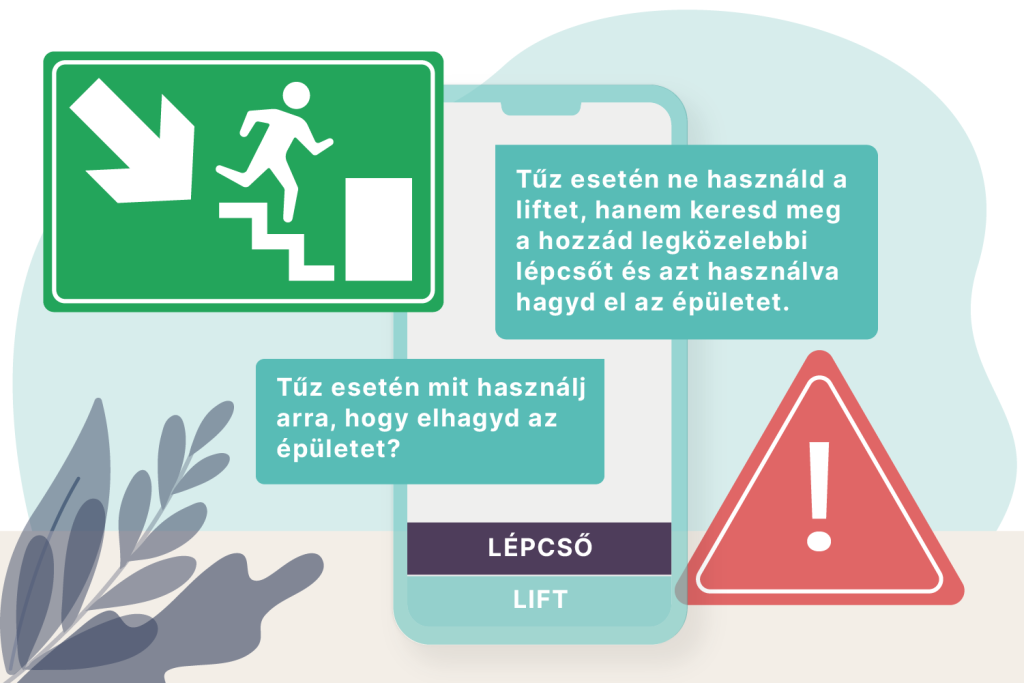
In this case, a photo or graphic is sent out that displays an important message. For example: In case of fire and smoke, cover your face and leave the building via the nearest staircase.

2. Infographic
According to Wikipedia, "an infographic is an applied field of graphic design: an illustration created through the combined use of drawing, photography and text, drawing on the visual language of all these fields. It is more than a photograph, more complex than a drawing, and far more informative than written text on its own. Its purpose is always to convey information. A good infographic is eye-catching, informative and easy to understand."
Employee training through an infographic can be a perfect choice when you want to convey dull, dry information in an easy-to-understand and engaging or entertaining way, such as the steps of high-quality concrete mixing.
An infographic can be shared within CHEQ in JPG, but also in PDF format.
It is worth sharing training materials with employees in the form of colourful illustrations, since according to research the brain processes visually presented information 60,000 times faster than text.
III. Video
According to a 2021 report, 92% of internet users watch video. Within that, the most popular ones fall into the following categories:
- video clips
- comedy
- viral videos
- tutorials and how-to videos
Research has also revealed that the average amount of video watched worldwide is 84 minutes per day. And 14.9% of Millennials, or Generation Y, spend as much as 10-20 hours a week watching online video. On top of that, 90% of users watch video on their mobile device. All of this shows that it really is worth considering creating video content for the purpose of microlearning. After all, employees most likely prefer to consume workplace knowledge in video form as well.
These are the kinds of videos you can create for microlearning purposes
1. Software tutorials
Instructional videos like these can be useful when a new employee joins the company and needs to be introduced to the software used at the company and in their particular role. Such videos are usually created with screen recording, so they do not require any particular video-making skills. Their production cost is low and they can be made quickly.
2. Instructional video
These are videos recorded with the presenter during a live training session so that the training can be reviewed later as well. Making this kind of video is also easy, since it only requires a camera and a microphone/sound amplification.
It is worth recording this kind of training material on video during live trainings, workshops and other internal courses. This way both existing and new employees can watch it again at any time to refresh their knowledge and deepen their understanding.

3. Demonstration, i.e. how-it-works, how-to-use videos
It is worth creating this kind of video for colleagues working in plants, factories or out in the field, so that they learn to use machines and instruments correctly and safely. From these videos they can learn how to properly use company equipment, how to manufacture products or repair something that has broken down.
Making this kind of video is also extremely simple. Here too, you only need a camera/smartphone to record the subject being taught.
4. Presentation video
In this case you essentially turn a presentation (PPT) into a video. Since we assume that the presentation is already available, we can create this instructional video in minutes as well. Guides and step-by-step tutorials can work well in presentation-video form too.
5. Whiteboard videos
This is when you write/draw the training material on a whiteboard while an explanatory or accompanying narration is spoken. Producing this kind of video is also simple, yet it can be extremely effective, provided that the speaker is a great storyteller. The role of this kind of instructional video is to complement and put into context information learned earlier.
6. Animated videos
If you have a graphic designer, or software that supports creating animated videos, this can be the best way to produce entertaining and playful content and microlearning. These videos are essentially cartoons for adults, whose aim is to convey some body of knowledge.
Animated video is a very good choice when the subject-matter expert does not want to appear on camera, or when you simply want to offer employees a more entertaining solution. Animations hold attention, which reinforces information processing.
Whichever solution you choose, keep in mind that within CHEQ it is worth sharing videos with an mp4 extension. These can be played back in good quality by every device. So save or convert your recorded or finished videos to mp4.
The steps of microlearning with CHEQ
The following steps are needed in order to train employees through CHEQ:
- think through what training material your colleagues need
- in what form the information can be conveyed most effectively (text, image, video, etc.)
- create the training material
- review it
- once you are satisfied with the training material, send it to your CHEQ contact person
- the CHEQ developers upload and configure the training material
- test the training material within CHEQ
- use an announcement to draw your colleagues' attention to the new training material
- keep track of how many people have worked through the training material
- if you also ordered a test/quiz for the microlearning, then monitor the statistics on completion and results too - this helps you assess which form of training your colleagues prefer, which conveys knowledge more effectively, and on which topics it is necessary or worthwhile to create further training material
If you would like more detailed information about how digital training and microlearning for employees works through CHEQ, then get in touch with our experts.